How to Use FilingFrog
FilingFrog tracks institutional money — hedge funds, pension managers, and large asset managers that report positions to the SEC each quarter. Here's a tour of every tool and how they fit together.
Up and running in 3 steps
Create a free account
Sign up to unlock the full data set — managers, funds, securities, and filing history. Free accounts include 2 quarters of history and access to the core tools.
Create accountAdd managers or securities to your watchlist
Star any manager or security you care about. Your dashboard will track their filings and show you exactly what changed — new buys, exits, increases, and trims — all in one place.
Search any stock you're researching
Before making any investment decision, pull up the ticker on FilingFrog. See which institutions hold it, whether smart money is adding or exiting, and how concentration has shifted over time.
Your personal command center
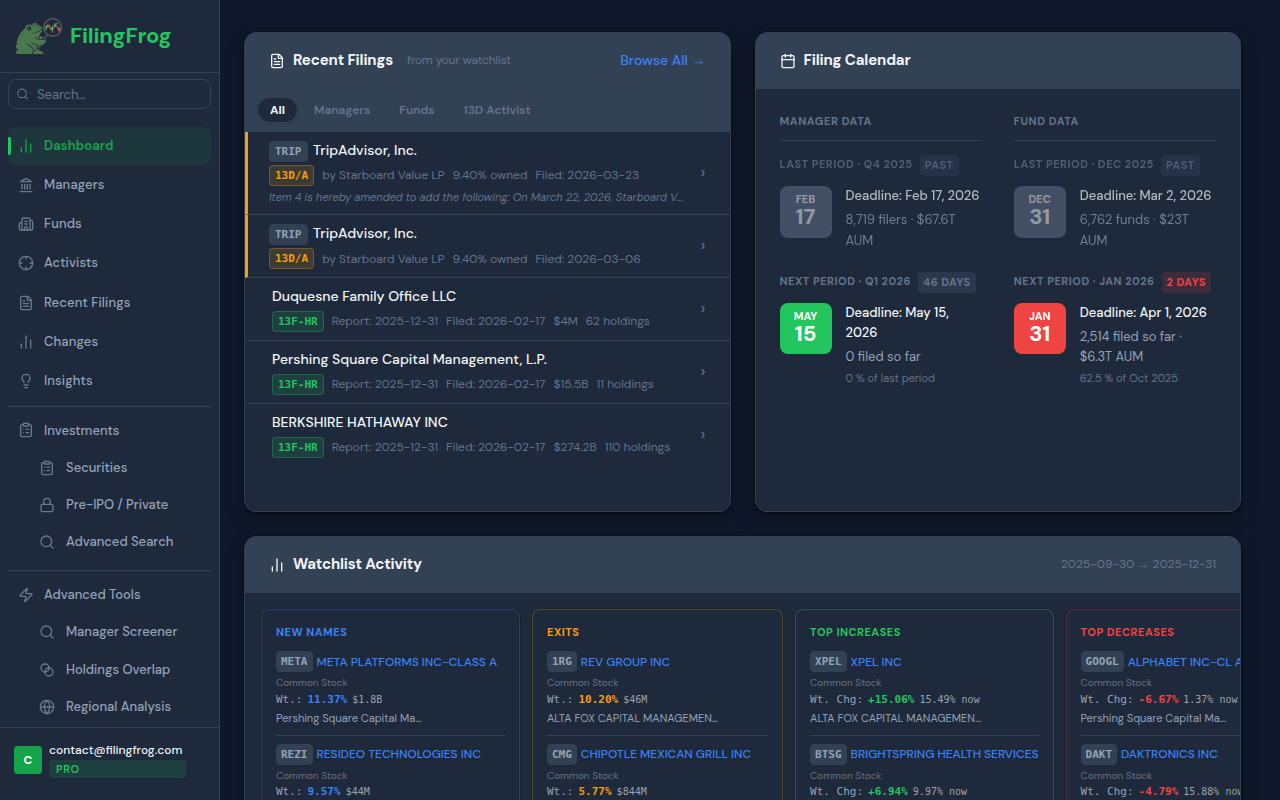
The dashboard surfaces filing activity from your watchlist — new filings as they arrive, portfolio changes from the latest period, and an at-a-glance filing calendar so you know when to expect data.
- Recent filings from watched managers and funds
- Quarter-over-quarter changes for watchlisted securities
- Filing calendar — past deadlines and upcoming dates
- Watchlist activity summary for the latest period
Institutional manager profiles
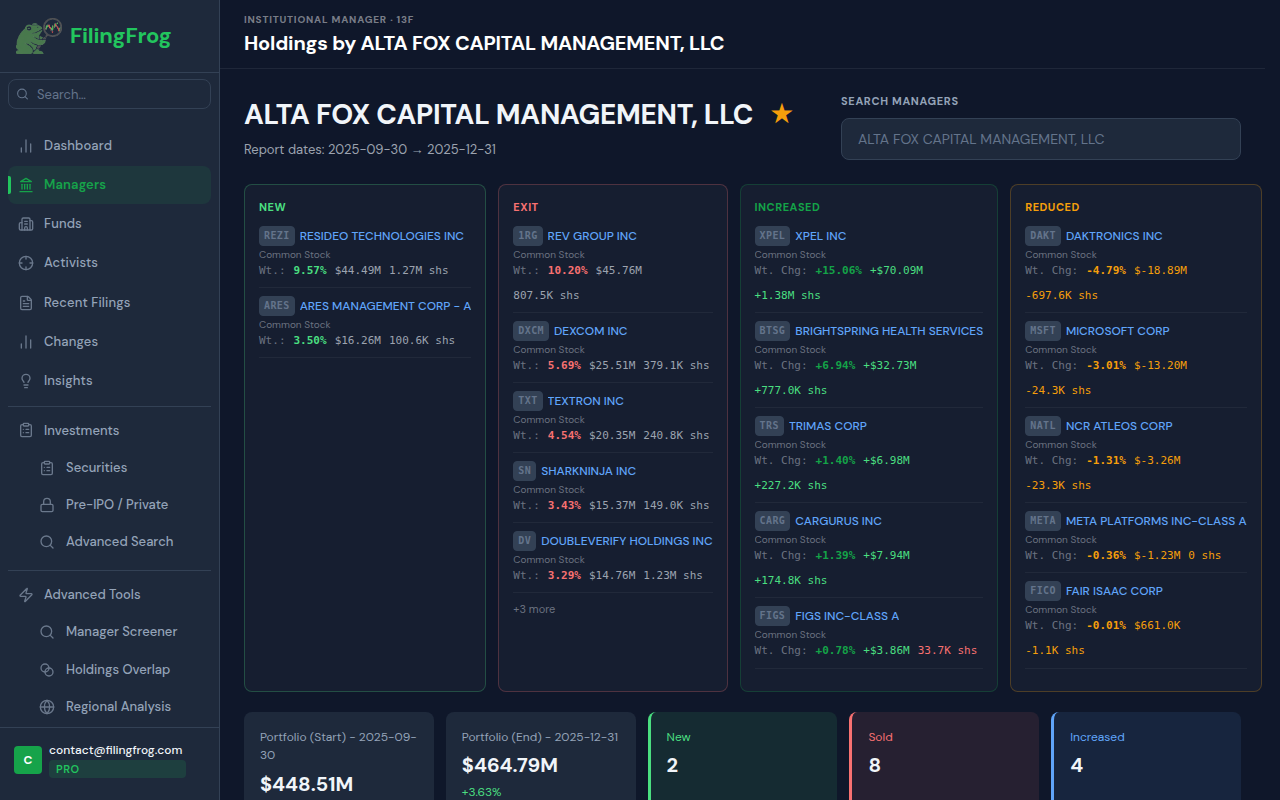
Look up any of the 7,500+ institutional managers that file 13Fs with the SEC. See their complete holdings, AUM trend over time, and exactly what changed between quarters — new buys, exits, increases, and trims.
- Search by fund name or CIK number
- Full holdings table with market value and share counts
- AUM history chart across all available quarters
- Quarter-over-quarter changes — new, exit, increased, reduced
- Top-10 concentration and portfolio composition
Mutual fund & ETF holdings
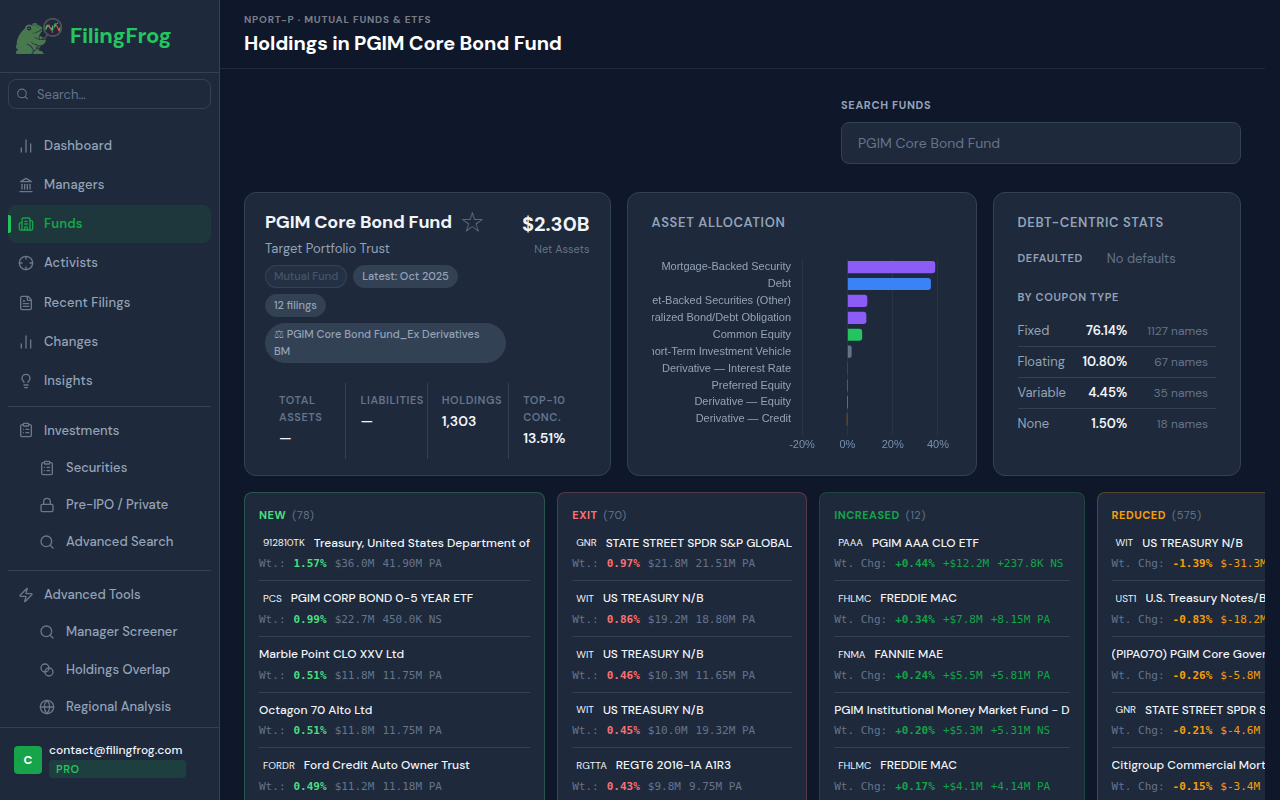
NPORT-P filings cover mutual funds and ETFs — over 6,700 registered fund series reporting monthly. FilingFrog indexes these separately from 13F so you can drill into individual fund portfolios, asset allocations, and debt breakdowns.
- Search by fund name or registrant
- Asset allocation breakdown by category
- Debt-specific stats: coupon type, defaults, and issuers
- Holdings comparison between reporting periods
- Look up which funds hold any given security (by ticker or ISIN)
See who holds any stock or bond
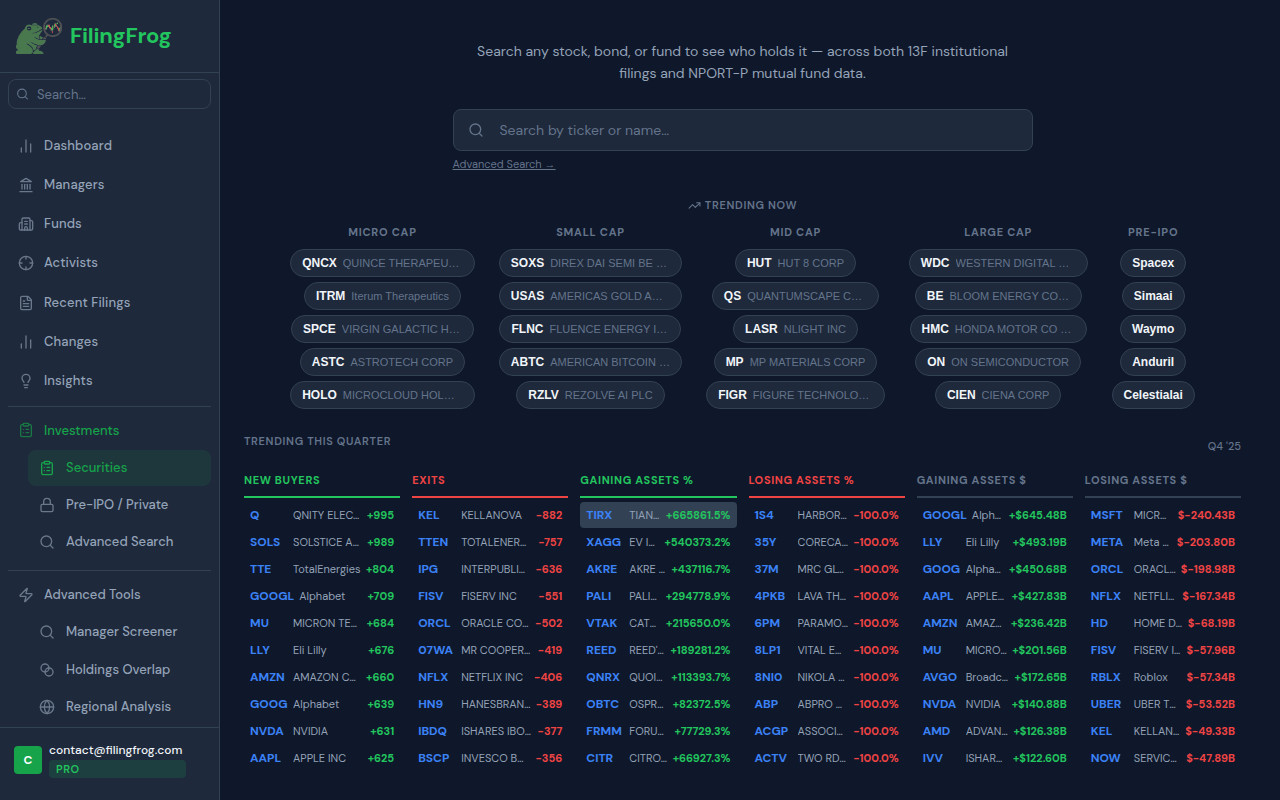
The Securities page is a two-way lookup: search any ticker to see which institutions hold it, or browse trending names to discover what the market is moving into. The home screen shows real-time trending securities and a full breakdown of last quarter's biggest movers.
- Trending now — most-watched names by cap tier, including pre-IPO
- Trending this quarter — new buyers, exits, largest value gainers and losers
- Click any security to see every institutional holder, ranked by size
- Covers equities, debt, calls, puts, and private company positions
- Advanced search for filtering by security type, AUM, and more
See where institutional money moved
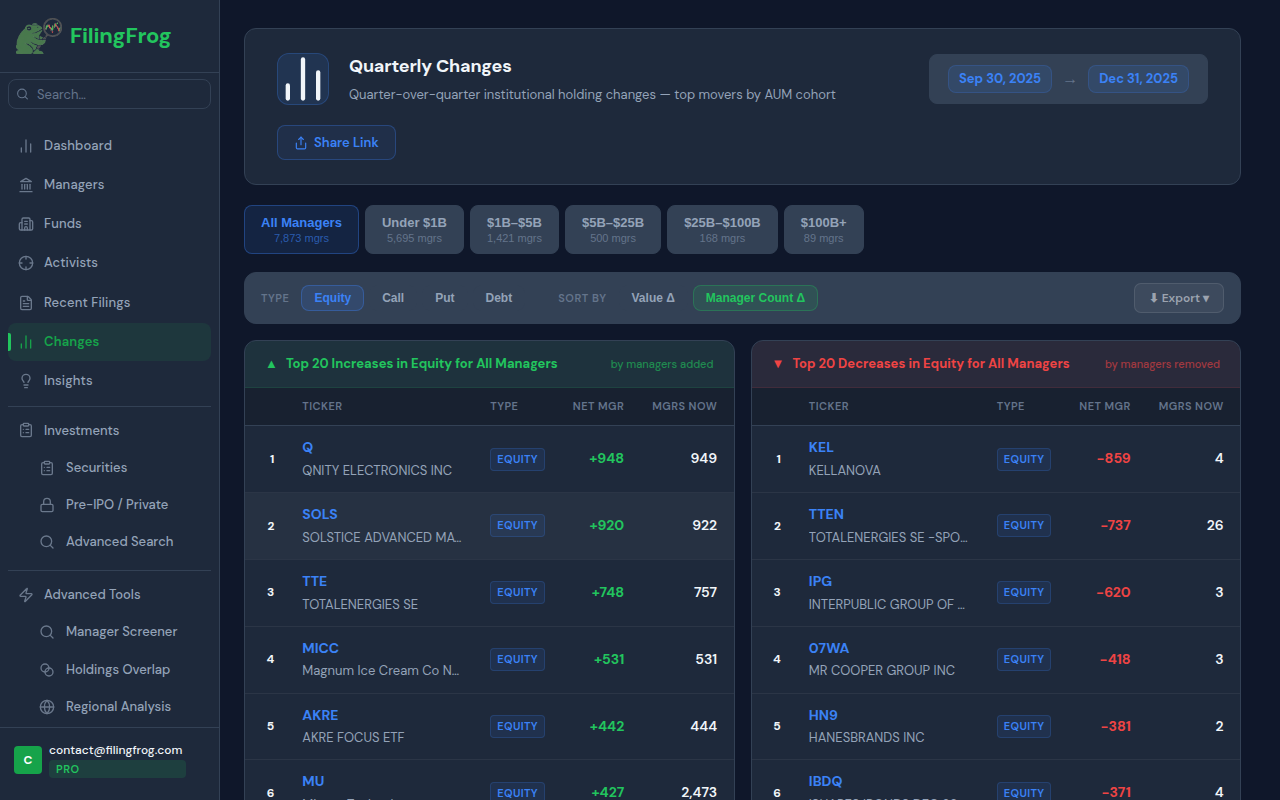
The Changes view aggregates all 13F filings for a reporting period and ranks securities by the number of managers who added or dropped them. It's the fastest way to see broad institutional momentum for any quarter.
- Filter by AUM cohort — under $1B up to $100B+
- Sort by value change or manager count change
- Separate views for equity, calls, puts, and debt
- Export to CSV or share a snapshot link
Fresh filings as they arrive
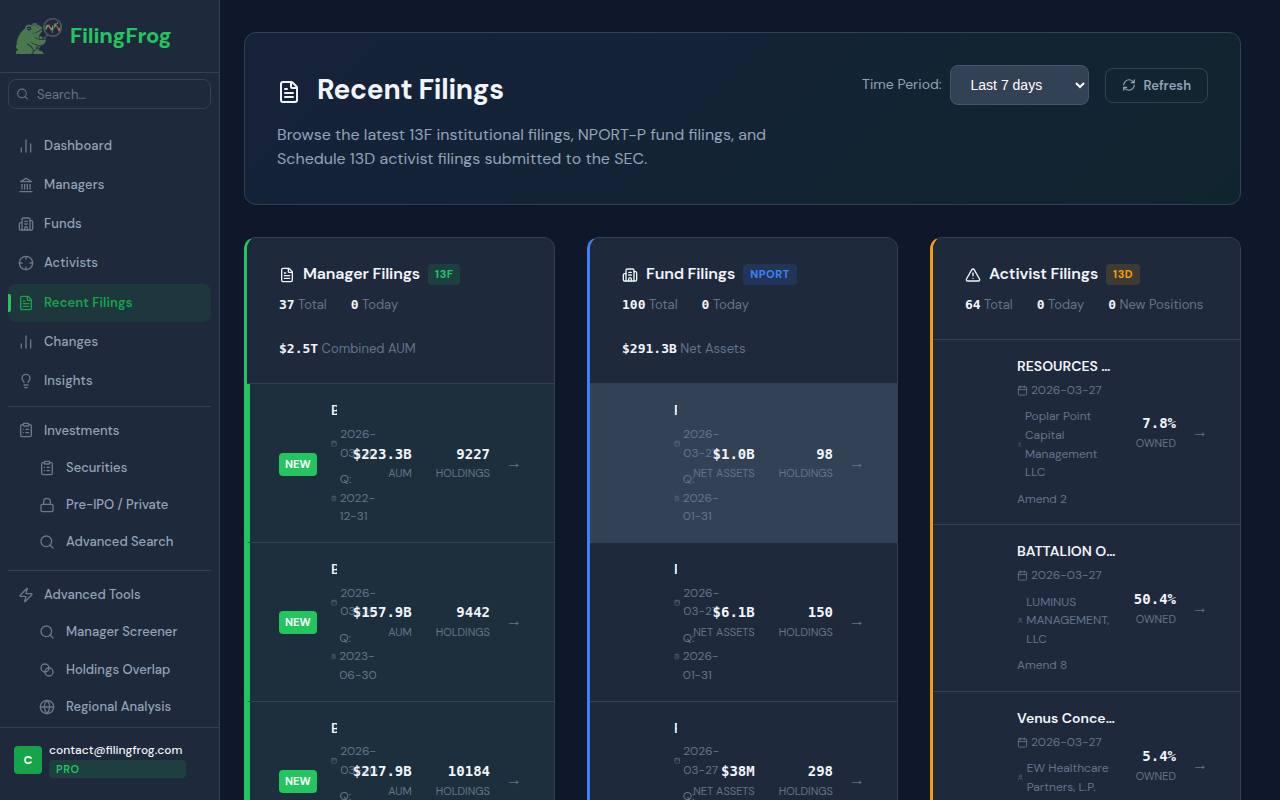
Browse the latest 13F, NPORT-P, and Schedule 13D filings as they're submitted to the SEC. FilingFrog indexes new filings within hours — useful during the 45-day window after each quarter end when filings roll in daily.
- Filter by filing type — Manager, Fund, or Activist
- Sorted by most recently filed, with AUM and holdings count
- Configurable time window — last 7 days, 30 days, or all
- Direct links to EDGAR for original XML filings
For deeper analysis
The following tools are available on Premium and Pro plans. They're built for more systematic research — screening thousands of managers at once, comparing portfolios head-to-head, mapping capital by geography, and tracking activist campaigns over time.
Filter all 7,500 managers at once
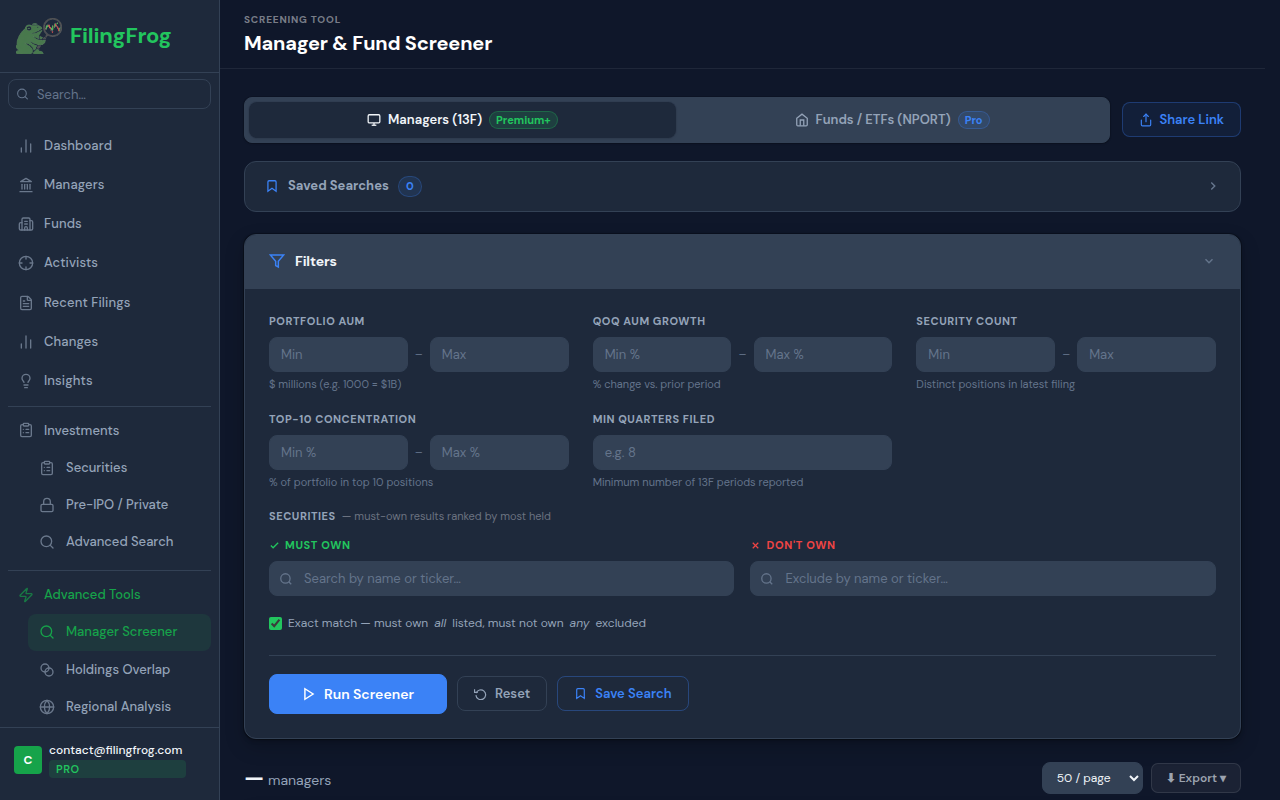
Run structured queries across the entire 13F universe. Set filters on AUM, quarter-over-quarter growth, security count, and portfolio concentration — then narrow further by required or excluded tickers to find exactly the managers you're looking for.
- Min/max AUM filter (in $ millions)
- QoQ AUM growth % — find fast-growing or contracting managers
- Must-own and don't-own ticker filters
- Top-10 concentration threshold
- Export up to 500 results to CSV or JSON
- Save and re-run searches each quarter
Compare portfolios side by side
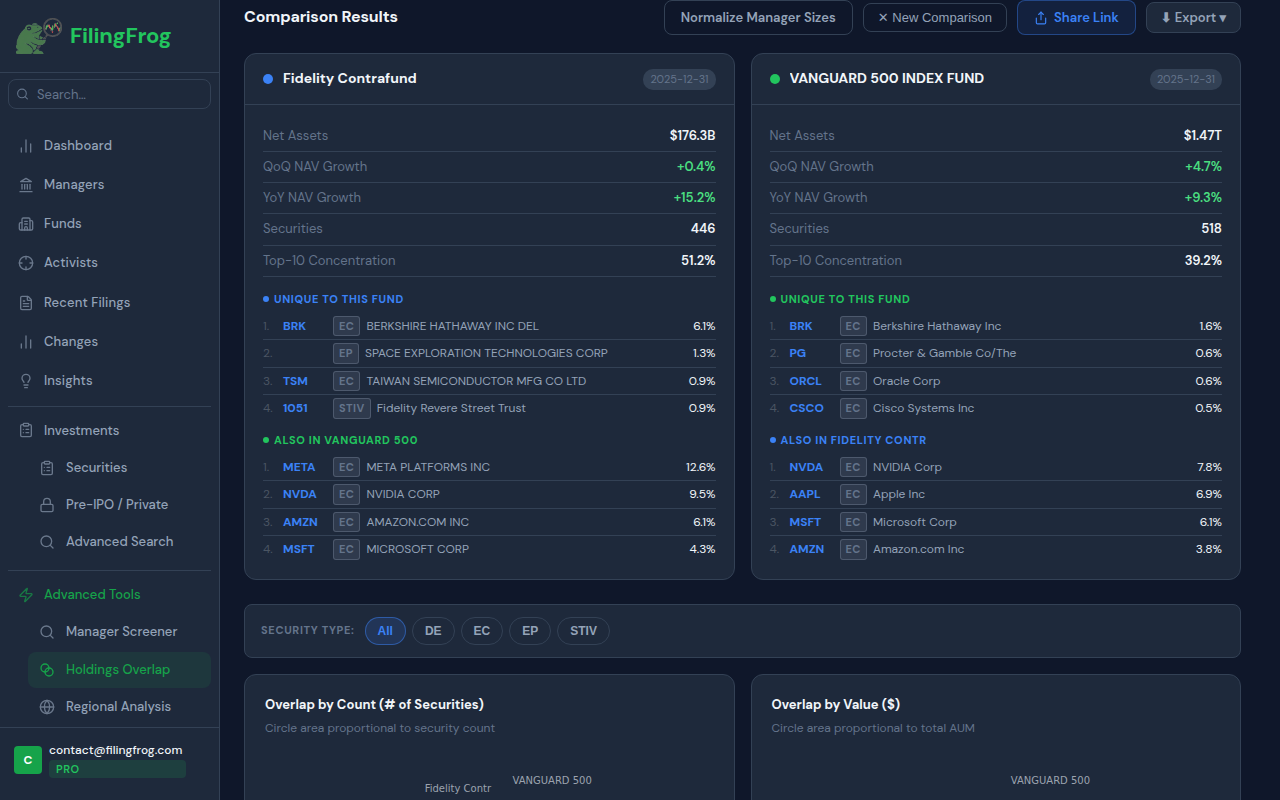
Pick two or more managers or mutual funds and see exactly which positions they share — and which ones are unique. Useful for finding consensus bets, high-conviction divergences, and identifying where smart money agrees or disagrees.
- Compare up to 3 managers or fund series at once
- Works with both 13F managers and NPORT fund series
- Unique-to-fund vs. shared position breakdown
- Bubble chart showing overlap by count and by value
- Share results via a link
Map institutional capital by location
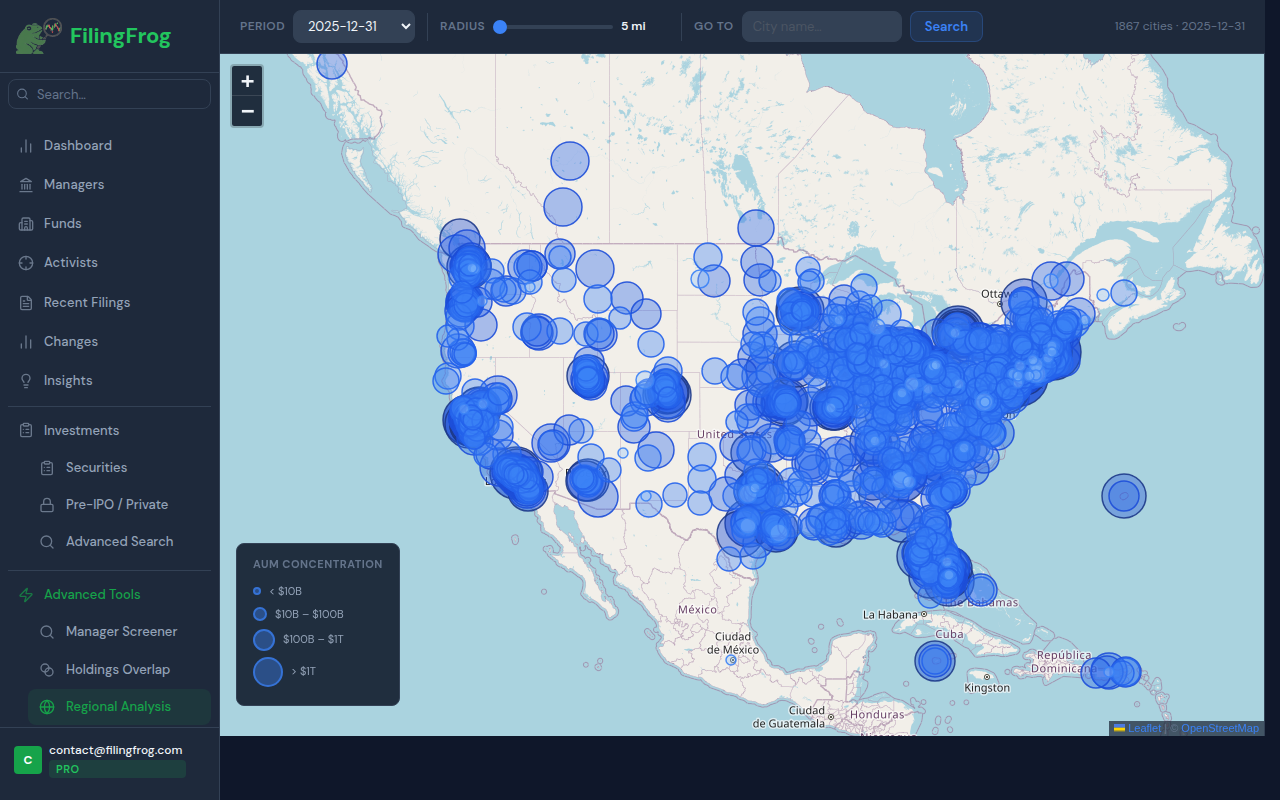
See where institutional AUM is concentrated across the US — plotted on an interactive map by city. Useful for marketers targeting financial firms in a region, anyone researching local investment activity, or analysts comparing capital density between financial hubs.
- Interactive bubble map — circle size reflects AUM
- Set a radius and jump to any city to see managers nearby
- 1,867 cities tracked as of the latest period
- Filter by reporting period to compare across quarters
- Click any bubble to see the full manager list for that city
Track activist investor campaigns
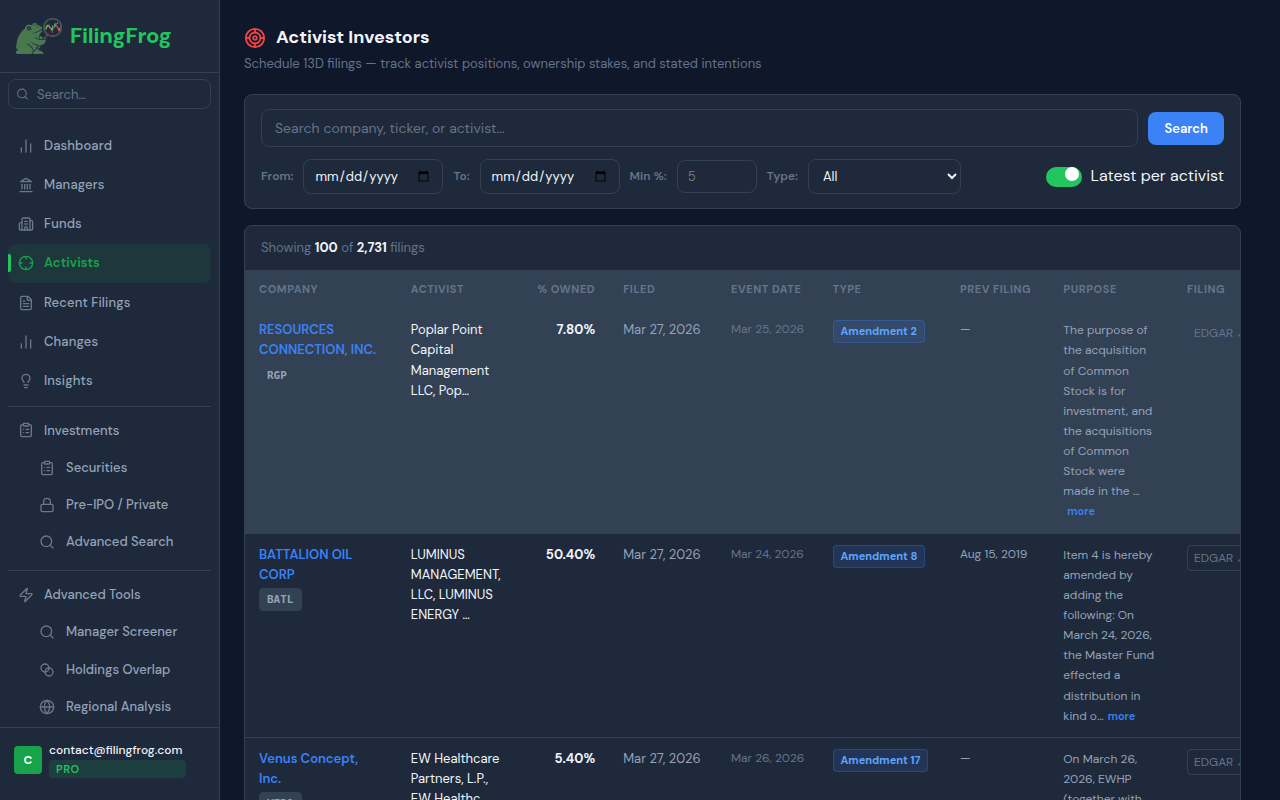
Schedule 13D filings are required when any investor crosses 5% ownership in a public company with intent to influence management. FilingFrog indexes all 13D filings and amendments so you can track activist campaigns as they unfold.
- Search by company, ticker, or activist name
- Filter by date range, ownership percentage, and filing type
- Full purpose/intent text from each filing
- Amendment history — track how a campaign evolves
- "Latest per activist" toggle to reduce amendment noise
Get more out of FilingFrog
Email alerts
Enable email notifications on any watchlisted manager or security. You'll get a morning email when a new filing arrives — no need to log in to check. Toggle alerts from the star icon on your dashboard.
Share links
Share a screener filter, changes view, or overlap comparison with a single link. Recipients don't need to be logged in. Links expire at the end of the month to stay current.
Pre-IPO & private positions
Under Investments → Pre-IPO / Private, you'll find institutional positions in companies that haven't gone public yet — private companies that still appear in 13F filings because institutions have taken a stake.
Data export
Most tables support CSV and JSON export. Use the export button on any holdings view or screener result to pull data into your own spreadsheets or analysis scripts.
Ready to start?
Free accounts include access to Institutional Managers, Securities Lookup, Recent Filings, and a 2-quarter history window. No credit card required.